Phone: 02-839-7500
MOBILE REMOTE SUPPORT · MOBILE EDITION

Support smartphones and tablets
exactly as the screen appears

Share and control Android and iOS device screens in real time to resolve app errors and setting inquiries remotely. Connects quickly and reliably even on the latest networks such as 5G.

Who uses the Mobile Edition?

Used by companies that support customers by viewing smartphone and tablet screens remotely.
Applied to app error response, device setup guidance, non-face-to-face A/S, and more.

Need to support
Android/iOS devices

Mobile App Operators

Need to guide device
settings remotely

Telecom Carriers

Handle device A/S
without a site visit

Phone · Appliance Makers

Need to guide customers
through app usage

Mobile Finance · Fintech

Key Benefits at a Glance

Start with the three things that matter most.

Android · iOS Support

Shares and controls screens on all major mobile operating systems in real time.

Latest Network Support

Connects reliably even on the latest networks, including 5G.

Live Chat

Communicate with the customer in real time during the remote session.

Mobile Screen Mirroring

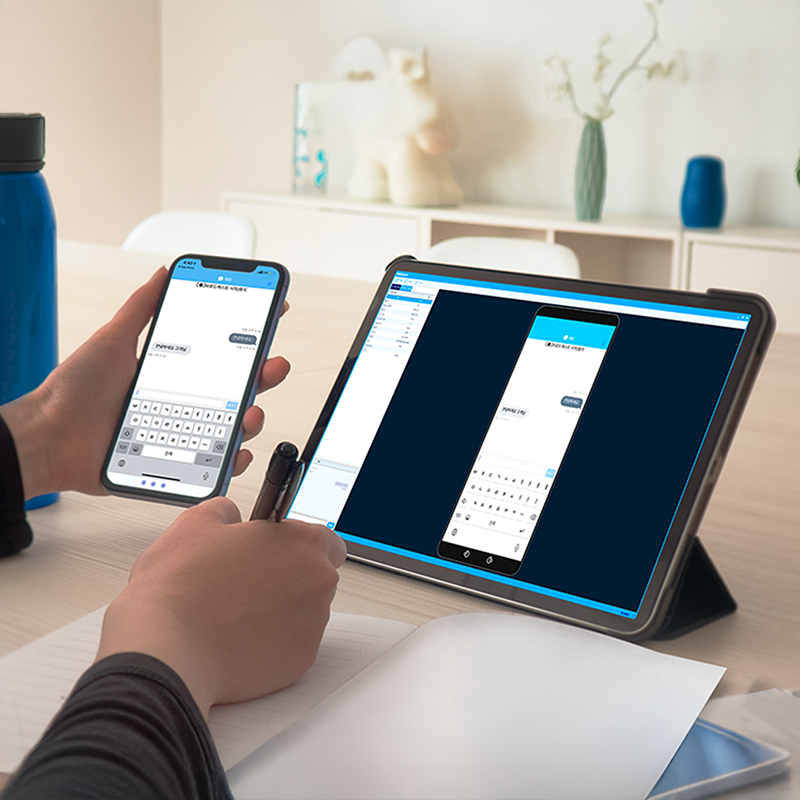
Support customers by seeing their phone

The customer's mobile screen is mirrored directly onto the agent's screen, so app settings and error issues that are hard to describe in words are resolved together.

  • Real-time mobile screen sharing
  • Remote guidance for app errors and settings
  • Control of hardware keys and camera
Support customers by seeing their phone

Key Features

Core remote support features you can use right away.

Mobile Screen Sharing

Android · iOS screen mirroring

Remote Control

Direct control of the mobile screen

Hardware Key Control

Operate device hardware keys remotely

Camera Control

Use the rear and front cameras

File Transfer

Two-way file sending and receiving

Live Chat

Text communication during the session

Screen Recording

Record the support session

AES-256 Security

Secure mobile connections

Anywhere in the Field

Resolve app issues remotely, instantly

Wherever your customers are, a smartphone is all they need. Diagnose and fix mobile app and setting issues remotely without a visit, cutting handling time and travel costs.

  • Handled remotely, with no visit
  • Lower handling time and travel costs
  • Higher customer satisfaction
Resolve app issues remotely, instantly

Getting started with mobile remote support

Get started right away, with no complex setup.

1

Agent Login

The agent logs in to AnySupport.

2

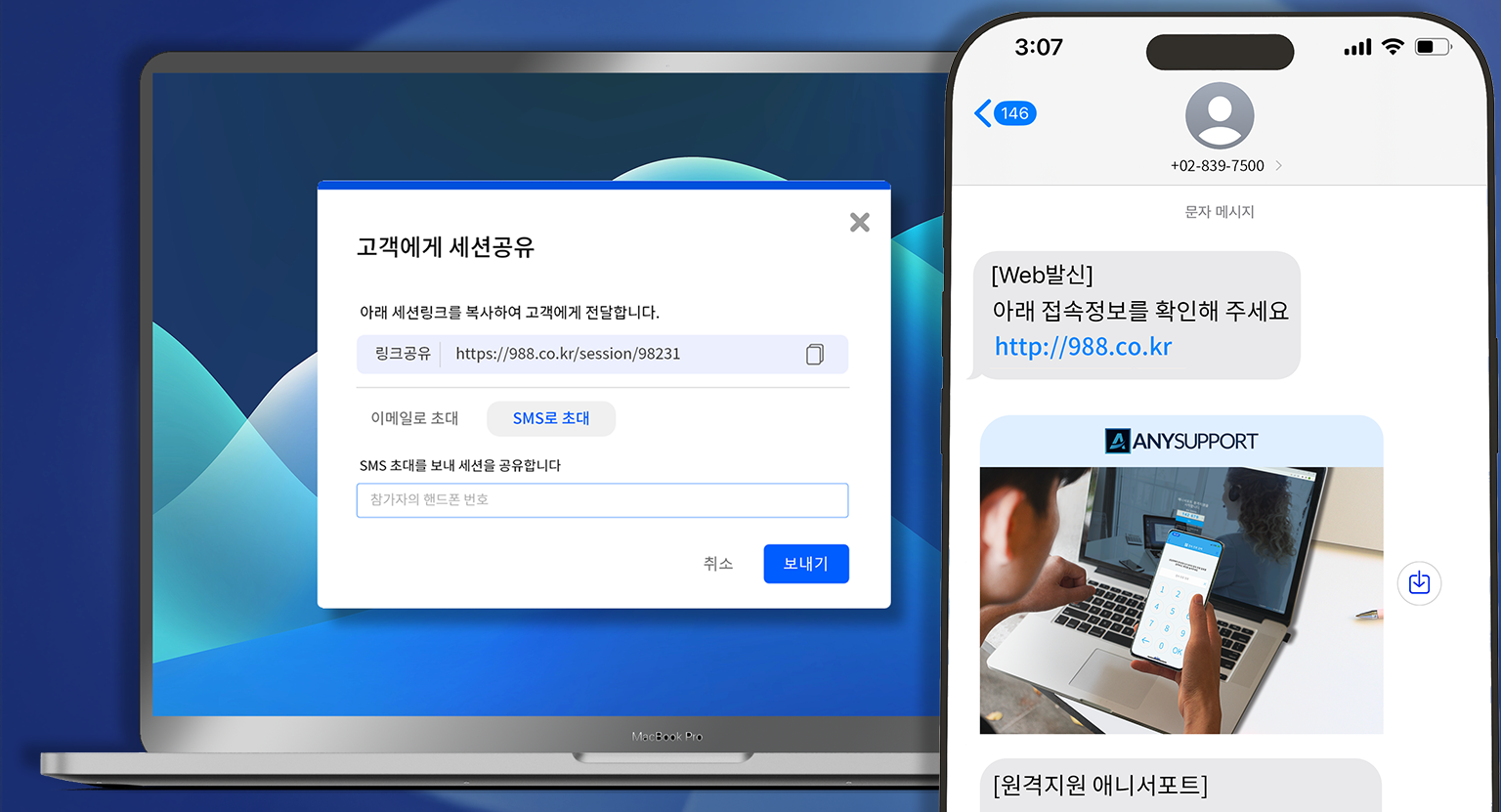
Guide the Customer

Give the customer the connection instructions and access code.

3

Connect and Support

Once the customer enters the access code, the mobile screen is connected.

Try mobile remote support free today

Experience Android and iOS remote support free for 15 days.

Blog YouTube Chat
15-Day Free Trial